The logical choice
for live performance.
A standalone macOS app that plays your show's audio directly. Hit GO and the cue fires — click and stems together, sample-accurate, with zero added latency or quantization. No plug-in, no DAW, nothing else has to be running.
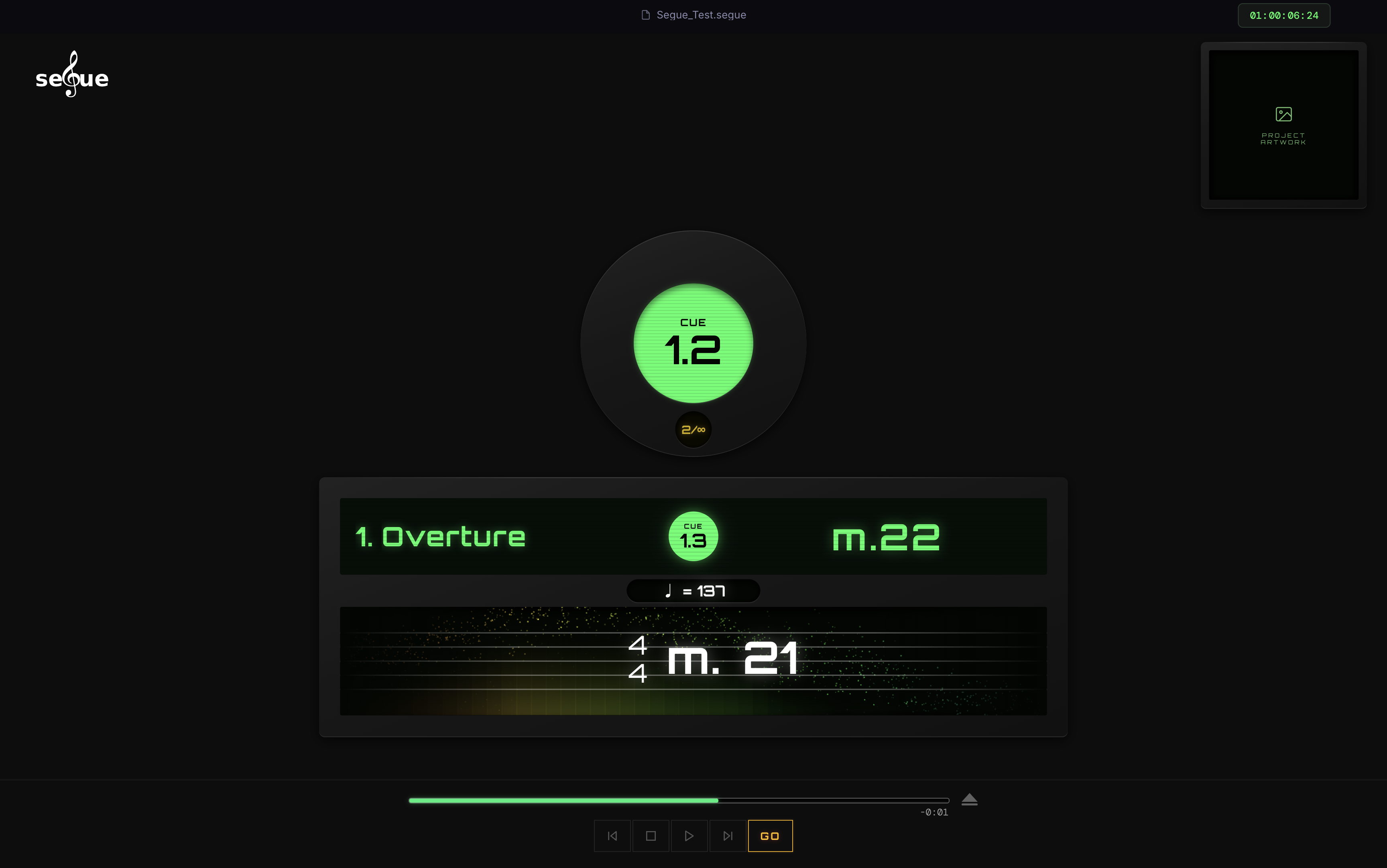

Score at a Glance
Score at a Glance (SaaG) is the live staff readout on Segue's Perform screen. It shows key signature, time signature, tempo, and the current measure number together, updating in real time as the show plays — no competing product shows all four at once.
-
Click-derived bar timing
The measure number is read from the click track's audio itself, not a fixed tempo map — so inserted or cut bars never knock it out of sync.
-
Live bar-countdown
The operator always knows exactly how many bars or beats remain to the next cue.
-
Beat-synced streamer
The visual sweep users can time an entrance or a cue.
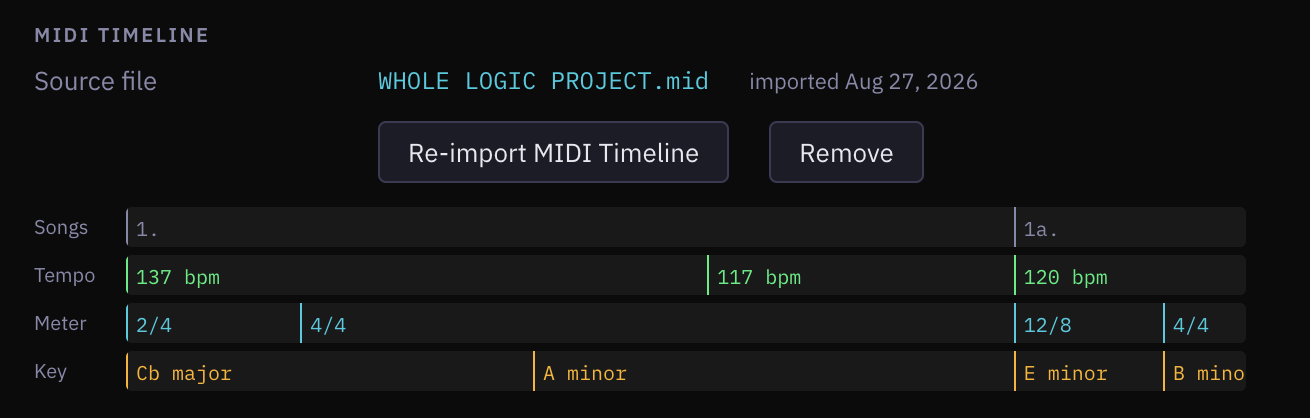
Import the MIDI timeline once
In Arrange, one MIDI file exported from Logic Pro hands Segue every song's tempo, meter, key, and markers. That's the data Score at a Glance reads from — imported once.
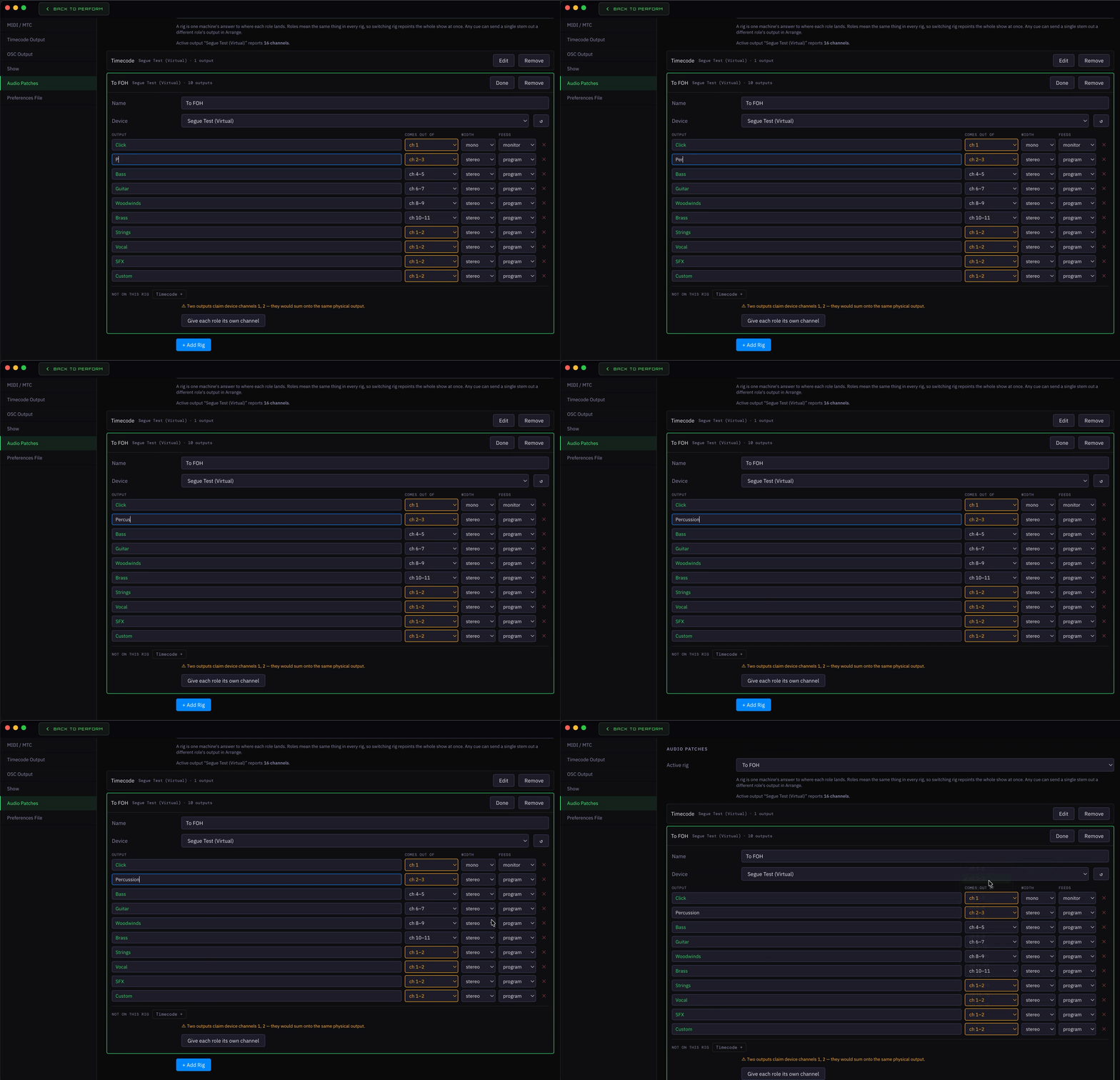
Choose your outputs.
An Audio Patch names a device and maps its outputs to physical channels. Every stem role points at a patch show-wide; any cue can override one stem.
No subscriptions.
Questions
Can I run video or lighting from Segue?
No — Segue outputs SMPTE timecode (LTC and MTC) so your video and lighting systems can chase it, but it has no video or DMX output of its own.
What's the license cover?
A perpetual license covers one machine. A Pro/Production tier for commercial or touring use is planned but not yet defined or for sale.
Where's the full workflow — Logic prep, Arrange, running a show?
In the User Guide — step by step, from bouncing stems in Logic to calling GO in Perform.
Can I trigger Segue with a Boss pedal or SPD pad?
Yes — every button on the transport bar is MIDI learn-ready, so GO, Back, Forward, and Stop can be mapped to MIDI note of your choosing.
Wanna stay in touch about the public release?
Leave your email and we'll let you know when Segue is publicly available. No spam, unsubscribe anytime.
Start your free trial
30 days, no credit card required.